Milestone

Project Overview
UX/UI Design  //    2021

For children who have a hard time sitting still and listening to lecture behind the screen, I wanted to create an education app that would satisfy their attention span while learning at the same time.

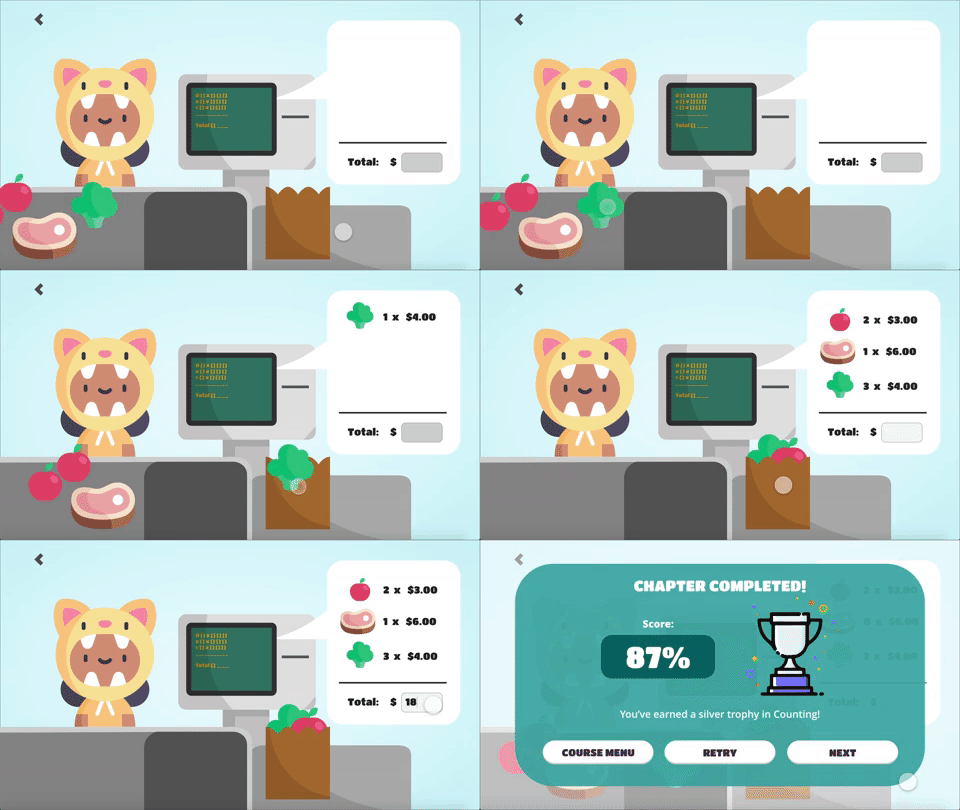
Milestone is an education app designed for children with short attention span to have fun with learning at home by providing interactive and engaging learning activities.

Market Research Analysis

I compared competitors in the online education field and found that competitors targeting business professionals and adults in higher education had a large amount of information with several links and features throughout their websites and products. For competitors targeting children and guardians, they had a friendly tone and clear, easy to read information. Their products were visually appealing and was easy to navigate around quickly.

Initial Thoughts
Hypothesis
  • Children have many distractions at home which hinders their at home learning experience.
  • Parents do not have the knowledge to help their children with their studies.
  • Students from K-12 are more likely to pay less attention to the class when learning from home.
  • K-12 students are least likely to enjoy the experience of learning from home.
Assumptions
  • Children have short attention span.
  • Students don't enjoy the online learning space.
  • Parents don't manage their children's schoolwork.
  • Students find online learning boring.
  • Current online collaboration space are made for business professionals, not young students.
User Research Summary

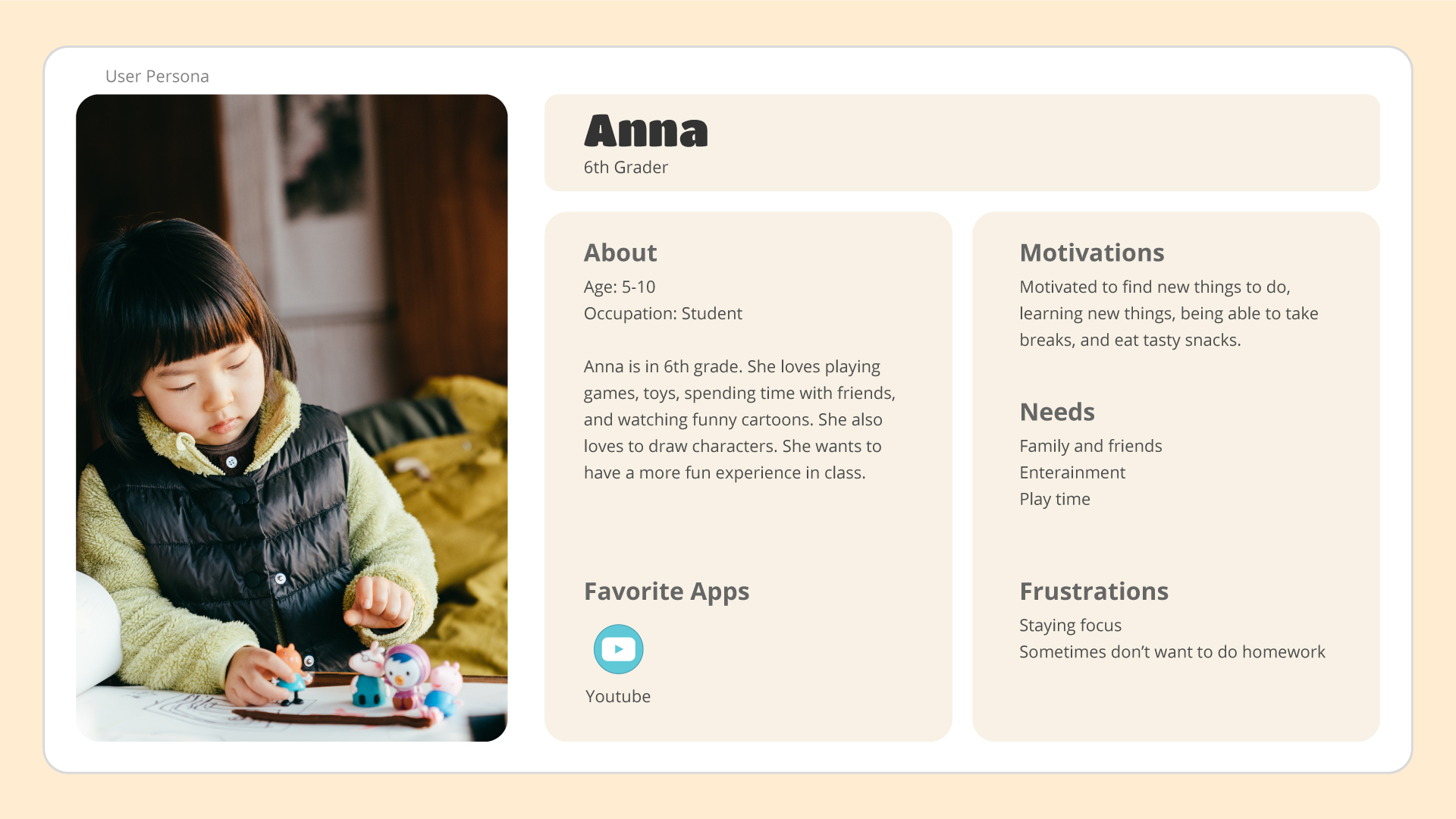
I've conducted interviews, surveys, and online research to understand the users I'm designing for: children and their parents or guardians. The data I've gathered has confirmed most of my assumptions and hypothesis, but also discovered that not all students struggled with learning from home.

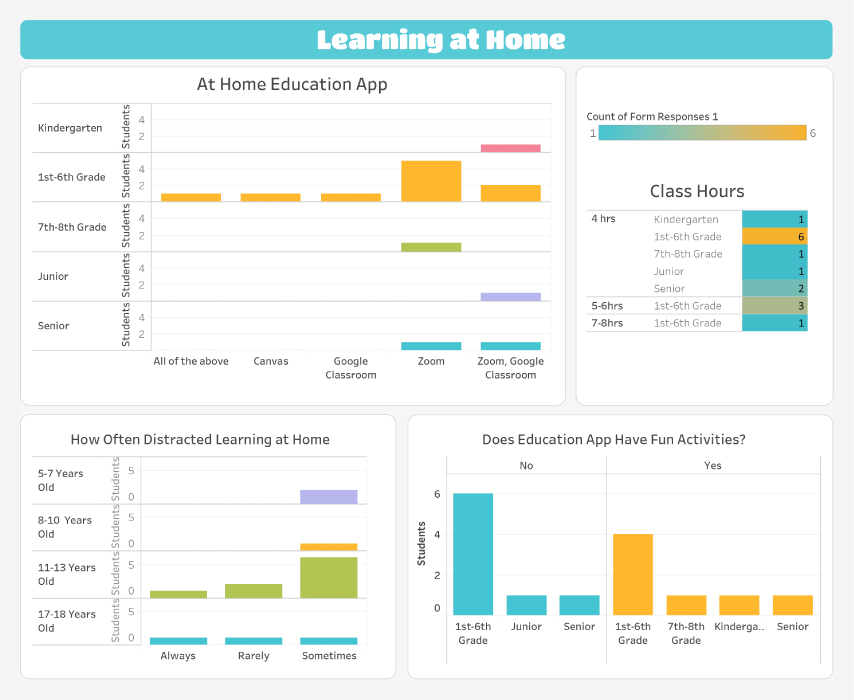
During this time, majority of K-12 students use Zoom to conduct at-home learning for their class. The second most used software is Google Classroom because it offers easy task management. The elementary students typically spend about 4 hours of class time at home. While attending class online, most students are more likely to get distracted by their surroundings, with noise and digital distractions being the main culprit.

For fun learning activities, majority of the students voted "No" for their educational app not having any fun learning activities.
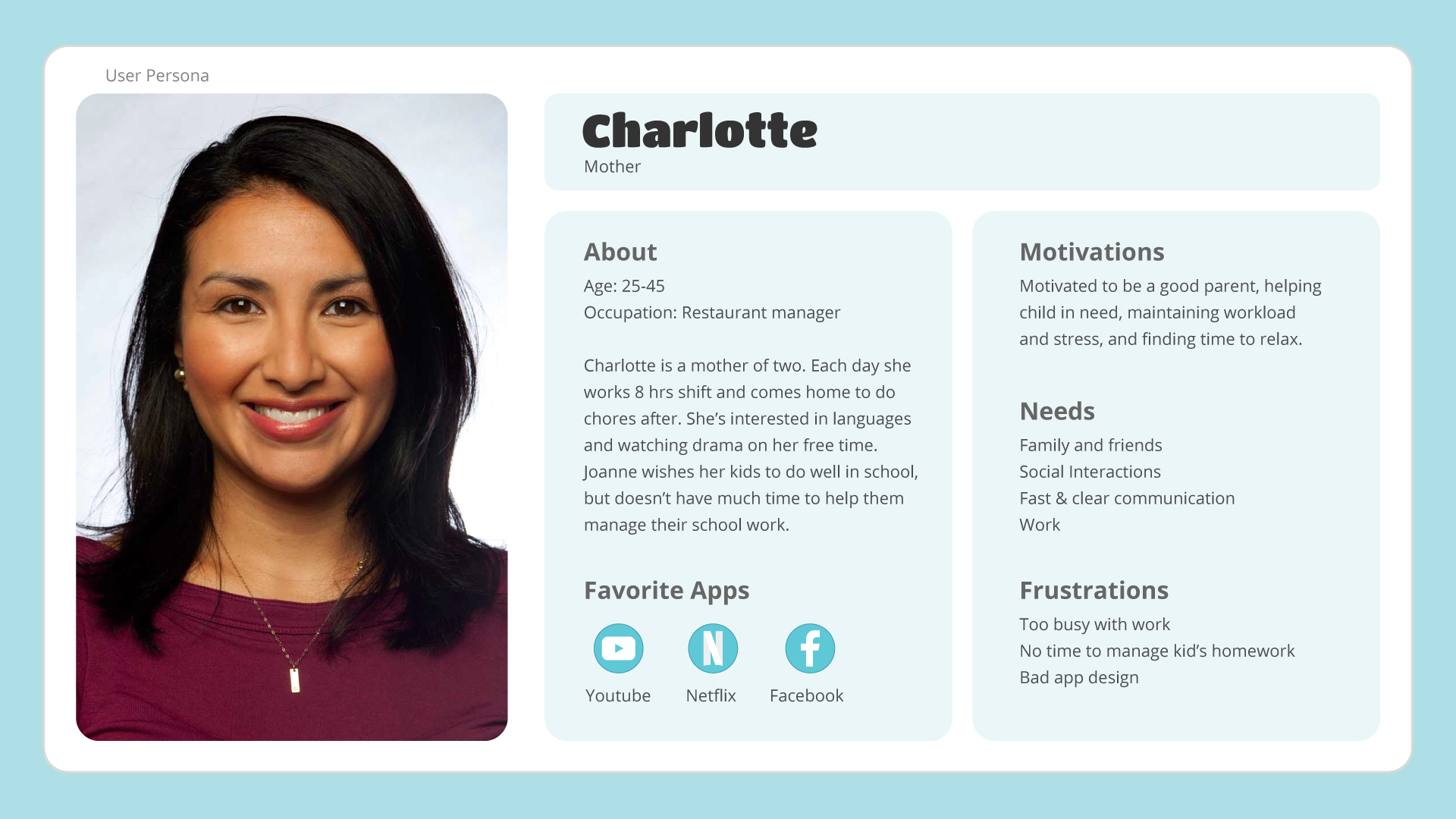
User Personas - Parent & Child
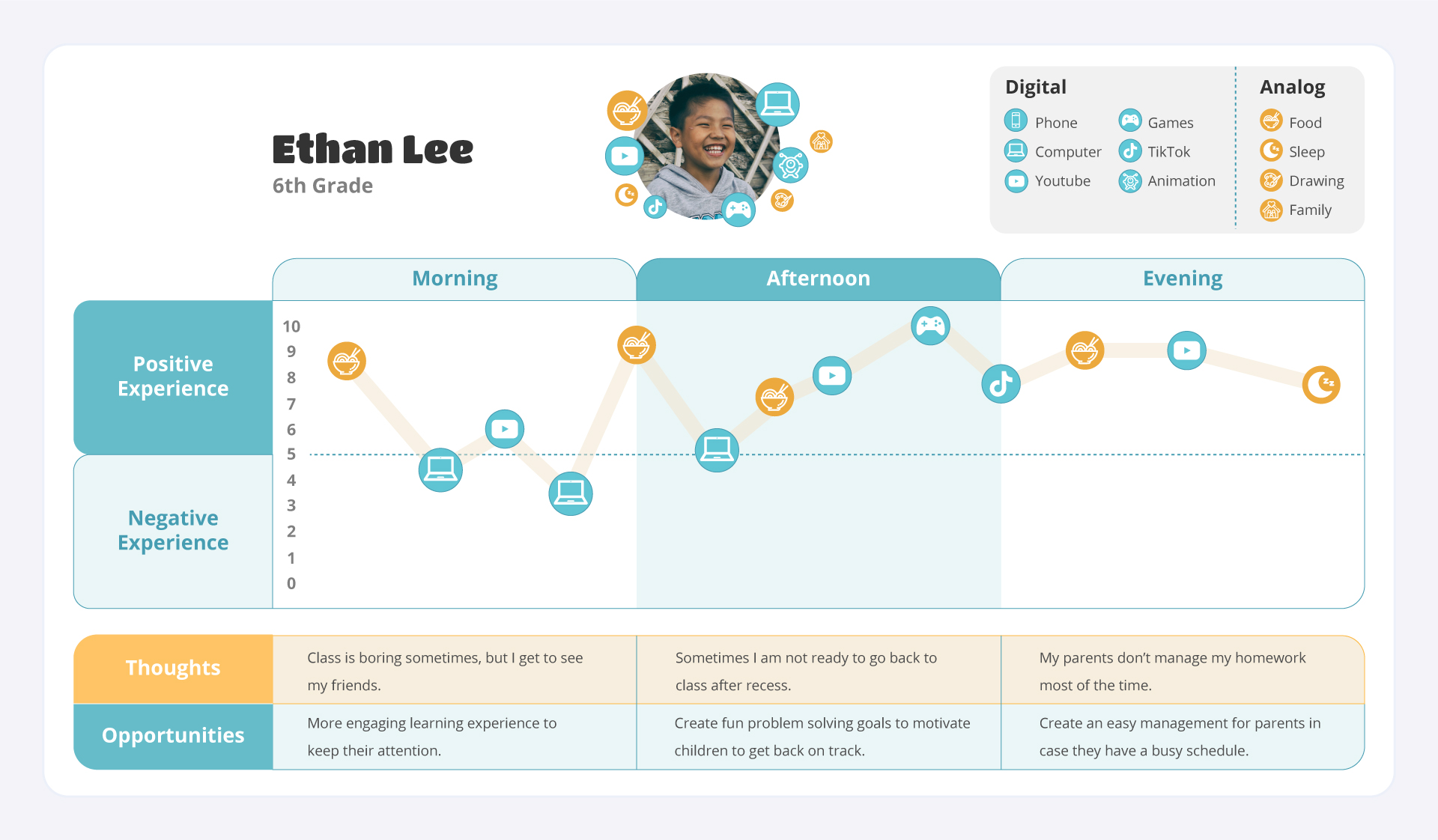
User Journey in a Day
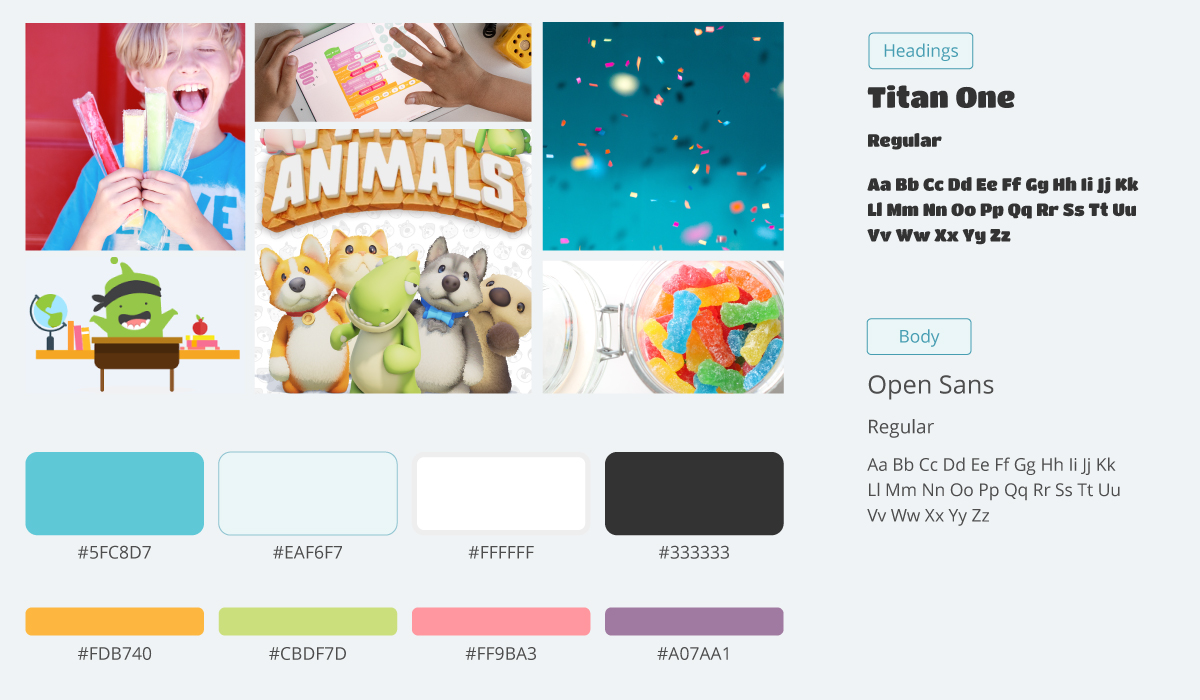
Moodboard & Typography
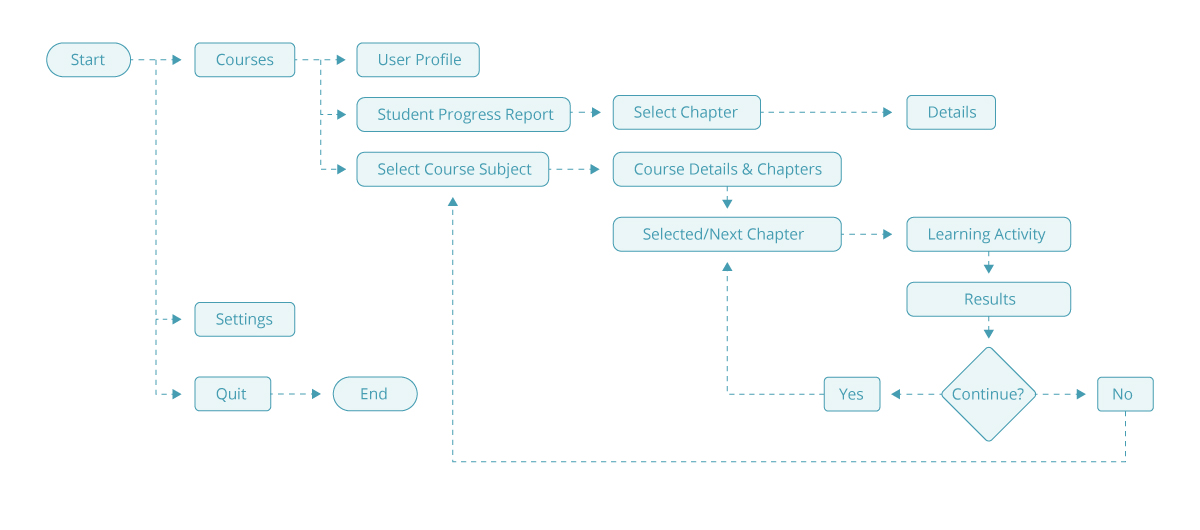
User Flow

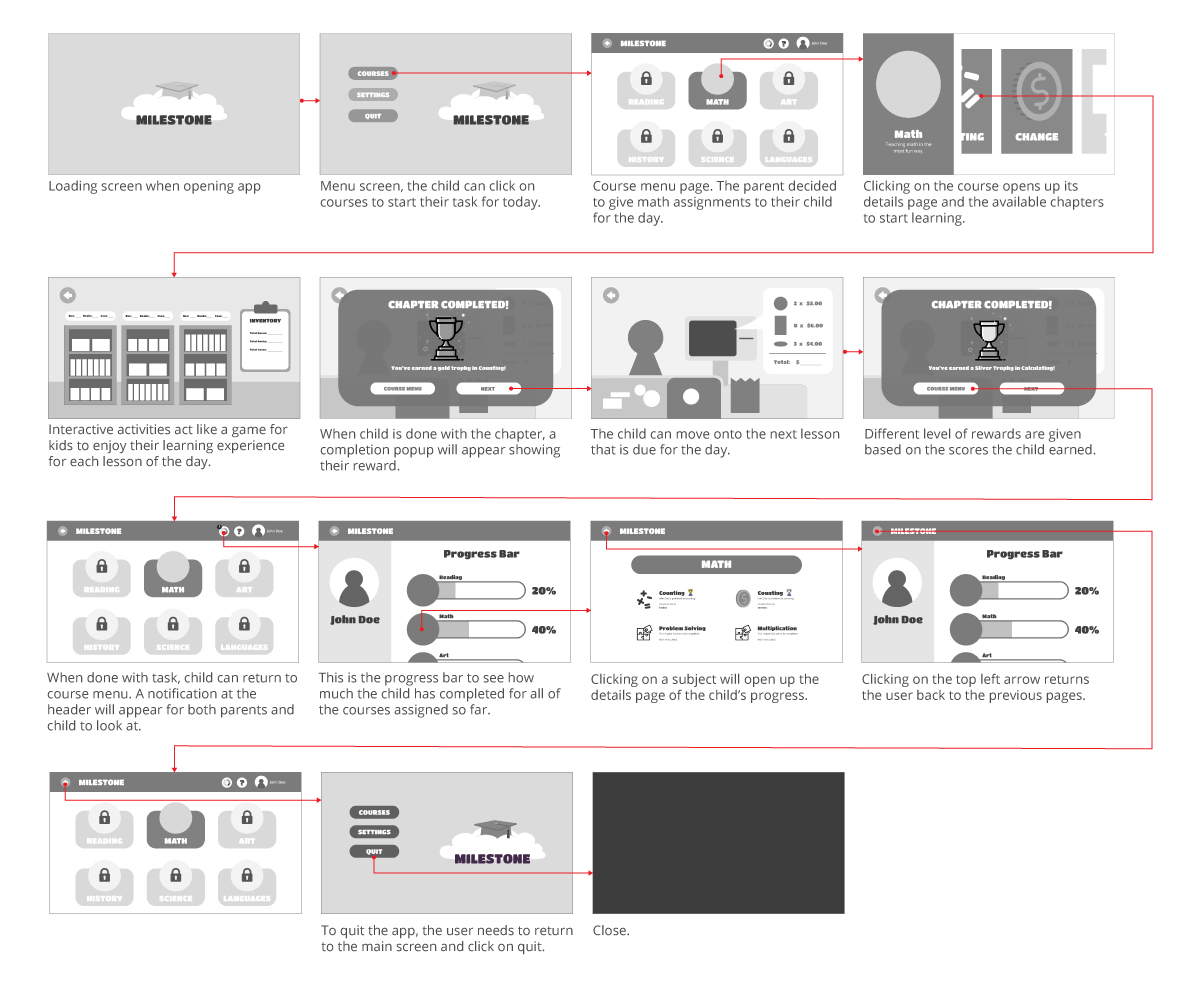
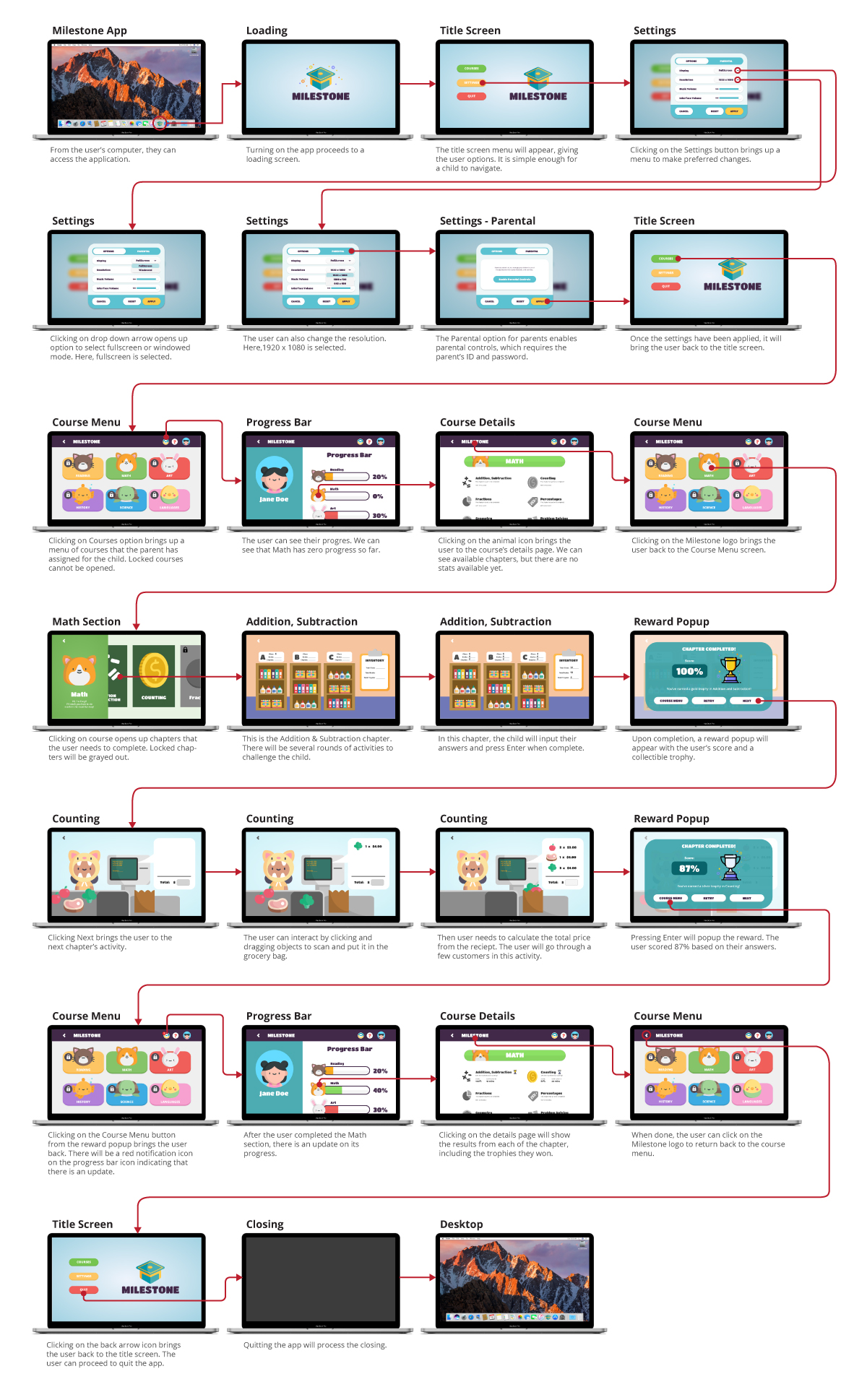
Keeping the flow of the app simple with minimal steps are expected to help users reach their goal quickly with ease and getting started with learning without any distractions.

Sketch Wireframe

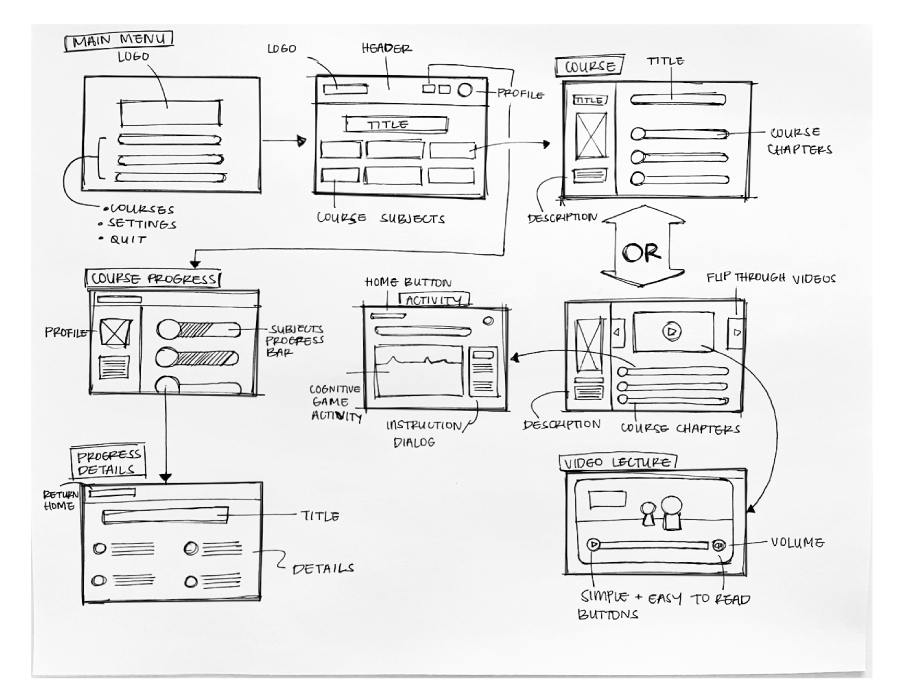
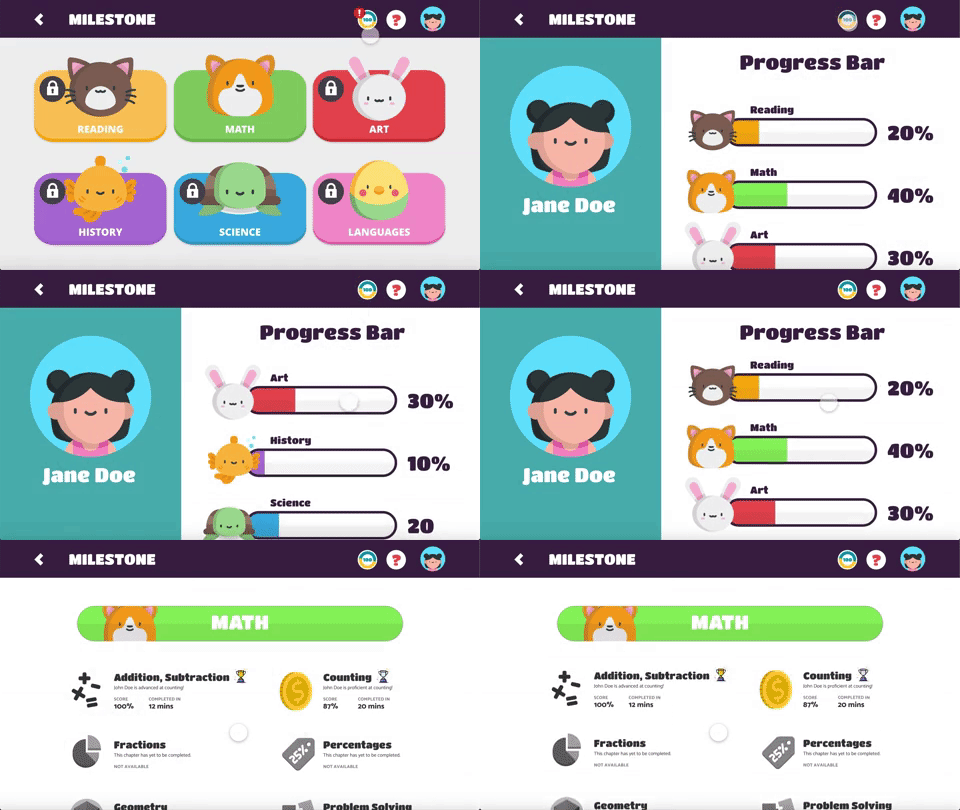
I sketched out a rough idea of important features to include in the app, from navigating through the main menu to selecting a course. The app will display course subjects that contains chapters and learning activities as well as a progress report for guardians to check the child's achievements.

My goal is to make this easy to read and navigate for both the child and guardian.

Low Fidelity Wireframes
High Fidelity Wireframes
Working Prototypes